110 Best Editable Canva Template for KDP: A Practical Evaluation for Self-Publishers
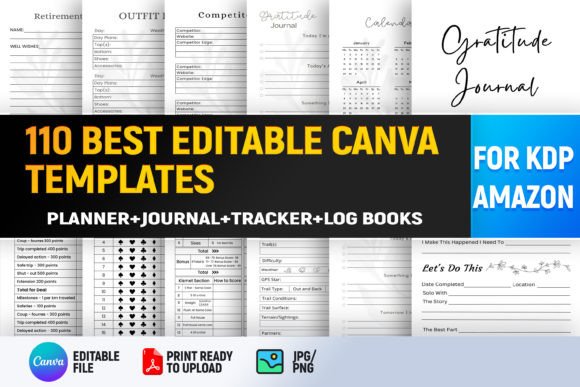
If you're building or scaling an Amazon KDP business—especially in the planner, journal, and productivity niche—the 110 Best Editable Canva Template for KDP is a resource that surfaces frequently in creator forums, Facebook groups, and design-focused KDP tutorials. It’s not software, a subscription service, or a pre-made listing—but rather a curated bundle of 110 ready-to-customize Canva files designed specifically for KDP-compliant interior layouts. What sets it apart isn’t novelty, but scope and structure: it includes calendars, trackers, journals, planners, and financial challenges—all formatted to meet Amazon’s print-on-demand requirements (bleed, margins, resolution) while remaining fully editable inside Canva.
What Makes This Bundle Distinct—Beyond the Number “110”
The count—110—is meaningful only in context. Many template bundles offer 20–50 designs, often grouped by category (e.g., “30 Planner Pages”) with minimal variation in layout logic. In contrast, the 110 Best Editable Canva Template for KDP spans multiple functional categories while maintaining internal consistency in typography, spacing, and grid alignment. For example, its Weekly Planner, Office Weekly Planner, and Self-Care Planner share the same underlying column structure and font hierarchy—making cross-template customization faster and more predictable. That cohesion matters when you’re iterating across dozens of SKUs.
Each file is built with KDP constraints in mind: safe zones are clearly marked, text boxes use legible, scalable fonts (no embedded outlines), and color palettes default to CMYK-friendly combinations—even though Canva itself operates in RGB. You won’t find decorative vector flourishes that require manual separation before export, nor placeholder images sized incorrectly for 6×9 or 8.5×11 interiors. Instead, you’ll find intentional white space, modular sections, and layered grouping that supports easy text replacement or photo swaps without breaking alignment.
How It Compares to Other Template Approaches
There are three common paths KDP creators take when sourcing interior templates: purchasing single-use designs from marketplaces like Creative Market, subscribing to template libraries (often with monthly downloads), or building from scratch using free tools like Google Docs or LibreOffice. The 110 Best Editable Canva Template for KDP sits between the first two—offering breadth without recurring cost, but requiring a specific tool environment.
Compared to single-template purchases, this bundle reduces per-design overhead. Buying 110 individual Canva-based planner pages at $3–$7 each would cost $330–$770; even at discounted marketplace rates, licensing rights for commercial reuse aren’t always included. This bundle provides unified licensing for all 110 files under one transaction—clearly intended for KDP resale, not just personal use.
Compared to subscription-based libraries, it lacks ongoing updates or new releases—but also avoids churn, feature-locking, or usage caps. You download once, own the files (as Canva links), and retain access as long as Canva supports the shared link format. There’s no risk of templates vanishing from your dashboard if the service changes terms.
Realistic Strengths—and Where Tradeoffs Appear
Strengths:
- No design experience required. Drag-and-drop editing works reliably for basic swaps: changing dates, renaming sections, swapping stock photos, adjusting accent colors via Canva’s color picker.
- Time-to-list reduction. Users report cutting interior formatting time by 60–80% compared to building from blank pages—especially for multi-month calendars or challenge trackers with repeating weekly logic.
- Consistent branding potential. Because all templates share baseline styling, applying a custom logo, brand font (via Canva Pro’s upload feature), and signature color palette across 20+ listings becomes manageable—not theoretical.
Tradeoffs and limitations:
- Canva Pro dependency for full access. Some templates include premium Canva elements—illustrations, grids, or animations—that require an active Pro subscription to edit or download. Free-tier users can view and partially customize, but may hit export limits or missing layers.
- Not plug-and-play for advanced formatting. While great for standard interiors, it doesn’t support complex features like hyperlinked TOCs (for digital versions), conditional logic (e.g., auto-updating day counts), or layered transparency effects that require Illustrator or InDesign.
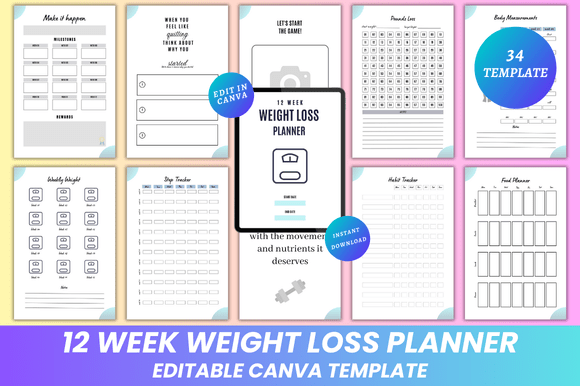
- Minimal niche specialization. Though it covers gratitude, weight loss, saving challenges, and meal planning, it doesn’t include deep vertical variants—say, ADHD-friendly time-blocking layouts or bilingual journal prompts. Those still require manual adaptation.
When This Bundle Fits—and When It Doesn’t
The 110 Best Editable Canva Template for KDP is most effective for creators who:
- Are launching or expanding a broad-range planner/journal line—not just one title, but families of related products (e.g., launching both a Daily Gratitude Journal and a 30-Day Saving Challenge in the same month);
- Prefer working inside Canva over learning desktop publishing tools, and already use Canva for cover design or social assets;
- Need predictable, repeatable interiors—not experimental or highly visual formats (e.g., illustrated story journals or art therapy workbooks).
It’s less suitable if you:
- Work primarily with print partners outside KDP (e.g., IngramSpark), where bleed and margin specs differ significantly;
- Rely on automated workflows—like batch-generating 12 monthly calendars from a spreadsheet—which require scripting or CSV import capabilities absent in Canva;
- Require full ownership of source files (e.g., layered PSD or AI files) for archival, client handoff, or future platform migration.
Practical Use: What You’ll Actually Do With These Files
Let’s say you want to publish a 2025 Weekly Food Tracker. You open that template in Canva, replace the sample week with your own date range, swap the default food icons with ones matching your brand tone (using Canva’s search or uploading your own), adjust the header color to match your series palette, and export as PDF Print (with bleed enabled). That process takes under 15 minutes—and yields a file Amazon accepts without warnings about margins or resolution.
Now imagine doing that for 15 variations: different cover colors, seasonal themes, or targeted audiences (e.g., “Meal Tracker for Shift Workers”). The 110 Best Editable Canva Template for KDP gives you a starting point that’s already structurally sound—not just a pretty picture. That reliability lowers the barrier to testing new sub-niches without committing to full design time per SKU.
Final Consideration: It’s a Tool, Not a Strategy
No template bundle—no matter how comprehensive—replaces market research, keyword validation, or reader-centric writing. A beautifully formatted 100 in 30 Day Saving Challenge won’t outsell a poorly positioned but tightly targeted alternative if the title, subtitle, and backend keywords don’t reflect actual search behavior. The 110 Best Editable Canva Template for KDP accelerates execution, but doesn’t define direction.
Think of it like a well-organized workshop: the tools are laid out, labeled, and calibrated—but what you build, how you price it, and who you reach depends on your judgment, audience insight, and iterative testing. Used deliberately, it supports sustainable output. Used passively—as a shortcut to skip planning—it risks producing interchangeable listings in oversaturated categories.
If your goal is to efficiently scale a cohesive, professional-looking catalog of functional interiors—without mastering desktop publishing—this bundle delivers tangible, measurable value. If you need maximum flexibility, offline control, or deeply specialized layouts, allocating time toward learning InDesign or partnering with a designer may be the more durable investment.