KDP Small Business Planner Canva
Running a small business—whether you're launching handmade goods, managing a service-based freelance practice, or scaling a digital product line—means juggling dozens of moving parts every single day. You need clarity, not clutter. Structure, not overwhelm. And most importantly: tools that work *with* your workflow—not against it. That’s where the KDP Small Business Planner Canva stands apart. It’s not just another printable PDF—it’s a purpose-built, KDP-validated interior template designed specifically for entrepreneurs who publish on Amazon Kindle Direct Publishing *and* manage real-world operations.
A Planner Built for Real Business Rhythms
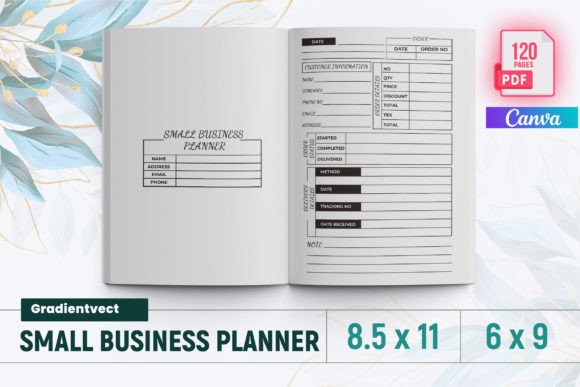
This isn’t a generic journal repackaged as a planner. Every one of its 120 pages serves a documented operational need—from tracking supplier lead times and return rates to mapping seasonal product launches and evaluating social media campaign ROI. The KDP Small Business Planner Canva includes dedicated spreadsheets and log pages like Competitor Analysis, Keyword Worksheet, Post Planner, and Social Media Statistics—tools that reflect how modern small businesses actually gather insights, test ideas, and iterate. A blogger planning a Q4 content push can use the Seasonal Ideas and Post Planner pages side-by-side. A Shopify seller managing inventory across three fulfillment centers benefits directly from the dual Product Inventory and Shipping Tracker layouts. Even time-sensitive tasks—like filing quarterly estimated taxes—gain traction with the Tax Deductions Log and Bill Payment Tracker.
Why “KDP-Ready” Matters More Than You Think
Many planners promise “printable” or “Canva-editable”—but few are built to Amazon KDP’s exacting technical specs. This KDP Small Business Planner Canva includes bleed-ready interiors formatted precisely for 6"×9", 7"×10", or 8.5"×11" trim sizes—the most common dimensions for professional-looking business workbooks. Every page has been tested on KDP’s previewer and live upload system. No last-minute margin adjustments. No rejected files due to incorrect resolution or missing bleed. You receive a ready-to-upload PDF, plus high-res PNG and JPG source files—ideal if you want to customize colors, logos, or headers in Canva before final export. For creators publishing under their own brand (e.g., “The Freelance Finance Workbook” or “Etsy Seller Success Planner”), that compatibility saves hours—and avoids costly rework after KDP rejects an interior file.
Who Benefits Most—and Why
The KDP Small Business Planner Canva is especially valuable for three overlapping groups:
- Self-publishing service providers—coaches, consultants, and educators who sell physical or digital workbooks on Amazon. They gain a production-ready interior they can brand, localize, or bundle with courses.
- Product-led solopreneurs—makers, designers, and developers who manage both creation *and* operations. The New Product Longlist, Product Evaluation, and Annual Overview pages help them move ideas from sketch to shelf without losing strategic context.
- Hybrid operators—freelancers who also run micro-agencies, bloggers who sell printables, or educators who offer workshops *and* published guides. The Habit Tracker, Priorities Planner, and Meeting Notes sections support personal discipline while the Advertising Tracker, Campaign Tracker, and Profit Tracker handle growth metrics—all in one consistent format.
It’s less useful for users who only need a minimalist daily to-do list—or those committed exclusively to app-based tools like Notion or ClickUp. While the planner includes digital-friendly elements (like password tracking and keyword logging), it assumes you value tangible, distraction-free reflection and linear progress tracking. If your workflow thrives on constant syncing and AI-powered reminders, this may complement—but not replace—your existing stack.
Thoughtful Design Choices You’ll Notice Right Away
Look closely at the layout logic: income and expense tracking appear on facing pages—not scattered across sections—so reconciling cash flow takes seconds, not minutes. The Order Form and Return Tracker share consistent field labels (order date, SKU, status), reducing data-entry errors. Even the Annual Profit Loss spread aligns monthly columns with the same color-coding used in the Monthly Budget, reinforcing visual continuity across timeframes. These aren’t cosmetic details—they’re evidence of iterative design informed by actual small business pain points.
What’s Inside—and How to Use It Effectively
The 120-page interior includes 38 distinct functional spreads—including practical essentials like Contact List, Suppliers List, and To Do List, plus forward-looking tools like Goal Planner, Ideas, and New Product Planner. To get the most out of it:
- Start with your biggest bottleneck. If late payments stall growth, prioritize the Bill Payment Tracker and Income Tracker for 30 days before layering in marketing logs.
- Use the annual spreads quarterly—not just once a year. Revisit the Annual Overview and Annual Finance every 90 days to adjust forecasts, not just audit past performance.
- Leverage cross-references intentionally. Log a new competitor in the Competitor Analysis sheet, then add related keywords to the Keyword Worksheet, and schedule outreach in the Post Planner.
Because all files are delivered instantly as downloadable assets—not subscriptions or locked web apps—you retain full control. Customize fonts in Canva, add your logo to the intro page, or extract only the Sales Tracker and Inventory Tracking pages for internal team use. No gatekeeping. No recurring fees.
A Realistic Note on Fit and Flexibility
No single planner fits every business model perfectly. If your operation relies heavily on project-based milestones (e.g., custom software builds), you may want to supplement the Time Log with Gantt-style timelines elsewhere. If compliance documentation is critical (e.g., HIPAA or GDPR logs), this planner doesn’t include dedicated legal templates—but its Notes and Meeting Notes sections provide adaptable space for annotations. Its strength lies in breadth *and* coherence: 38 distinct functions, unified by shared design language, consistent sizing, and KDP-certified formatting.
For small business owners who value intentionality over improvisation—and creators who publish with professionalism—the KDP Small Business Planner Canva delivers more than structure. It delivers alignment: between your daily actions and long-term goals, between your creative process and operational rigor, and between what you build and how smoothly it reaches the people who need it.