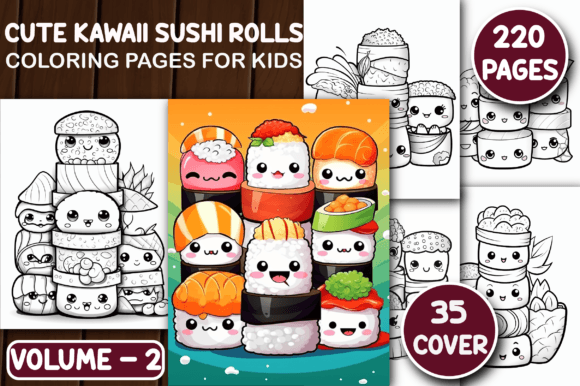
220 Cute Kawaii Sushi Rolls Color Pages
For creators building digital products for children—or adults who love playful, nostalgic design—the 220 Cute Kawaii Sushi Rolls Color Pages isn’t just another coloring book bundle. It’s a production-ready asset designed to slot directly into your workflow: from initial concept validation to final KDP upload, print-on-demand fulfillment, or classroom resource development. Unlike generic clipart packs or fragmented SVG collections, this set delivers consistency, scale, and structural readiness—all centered around a single, high-appeal theme: kawaii-style sushi rolls.
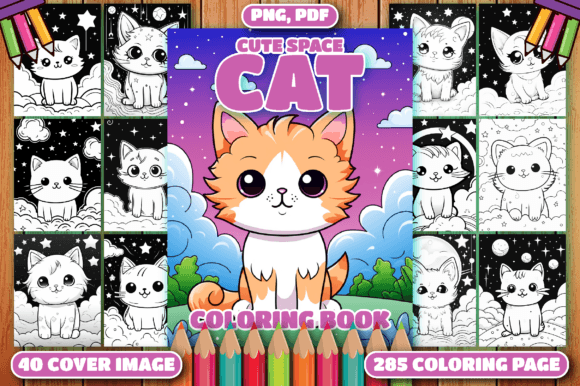
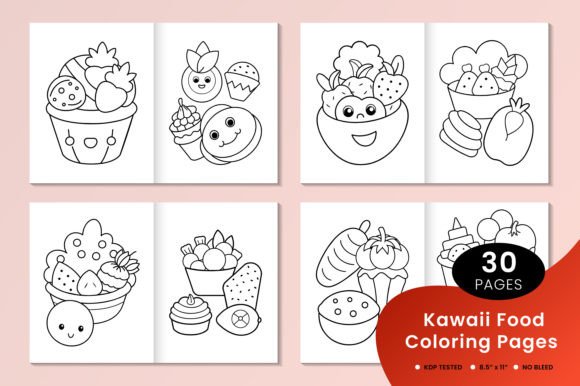
This volume includes 220 interior coloring pages in both PDF and high-resolution PNG (300 dpi) formats—optimized for A4 and US Letter (8.5×11″) paper sizes—and 35 premium, resizable book cover designs. Every page is AI-generated, then refined in Adobe Illustrator to ensure clean line work, balanced negative space, and age-appropriate detail density for kids aged 4–12. While minor imperfections may exist—as with any AI-assisted creative pipeline—they’re minimal and fully editable, giving you control over final polish without starting from scratch.
How It Fits Into Your Creative or Business Workflow
You don’t need to be a designer to use this effectively—but you do benefit from understanding where it lands in your process. Think of the 220 Cute Kawaii Sushi Rolls Color Pages as a “production layer”: it sits between ideation and delivery. You might begin with market research (e.g., checking Amazon KDP trends for “kawaii coloring books” or “Japanese food for kids”), then move to branding and cover design. Here, the included 35 cover PNGs serve as immediate options—or springboards—for custom mockups. You can test variants across social ads, email campaigns, or Etsy listings before committing to one final cover.
During interior layout, the 220 pages eliminate the bottleneck of sourcing, resizing, aligning, and standardizing individual illustrations. Each PDF page is pre-formatted, bleed-free, and printer-safe. That means less time troubleshooting margins in Canva or InDesign—and more time on value-add tasks like adding educational notes (“Did you know? Maki rolls are made with seaweed!”), creating themed activity pages (count the wasabi dots, match the soy sauce bottles), or bundling with complementary assets like tracing guides or flashcards.
Integration With Common Tools and Platforms
The file structure supports frictionless integration:
- KDP Publishing: All 220 interior pages are formatted for direct upload—no reflowing or cropping needed. The PDFs meet KDP’s 300 dpi and margin requirements out of the box. You can sequence them by difficulty (simple rolls → complex bento scenes) or theme (breakfast sushi, party sushi, garden sushi) using standard PDF editors like Adobe Acrobat or free tools like PDFsam.
- Print-on-Demand Services: Because each PNG is 300 dpi and sized to fit A4/US Letter, you can feed them directly into platforms like Printful, Gelato, or Lulu. No resampling or interpolation required—preserving crisp edges and consistent line weight across physical prints.
- Educational Use: Teachers and homeschoolers can extract individual PNGs to embed in Google Slides, Seesaw activities, or printable worksheets. The kawaii aesthetic lowers cognitive load for early learners while supporting fine motor skill development through controlled line-following and pattern recognition.
- Brand Extensions: If you run a food-themed subscription box, café, or kids’ apparel line, these illustrations can be repurposed as packaging motifs, social media stickers, or limited-edition coloring postcards—without licensing concerns, since you hold full commercial rights.
Practical Implementation Tips
Start with organization. Before opening any file, create a local folder structure: /covers/, /interior-pdf/, /interior-png/, and /edited/. This prevents version confusion later—especially if you begin customizing line weights, adding text boxes, or converting pages to grayscale for ink-saving print options.
Use batch processing when possible. Tools like XnConvert (free) or Adobe Bridge let you rename, resize, or convert all 220 PNGs at once—say, to add subtle drop shadows for digital preview thumbnails or adjust contrast for low-vision accessibility. For KDP, remember that interior files must be grayscale or CMYK; the provided PDFs are already grayscale-optimized, but double-check if adding color accents later.
Test before scaling. While the covers are labeled “resizable,” avoid extreme upscaling beyond 150% in raster editors—PNGs retain quality best within their native dimensions. For large-format prints (e.g., wall posters), open the original Illustrator-based source (if available) or recreate key covers in vector format using the PNGs as trace references.
Quality Control and Long-Term Usability
Because these are AI-generated illustrations refined in Illustrator, quality is high—but not uniform across every page. Spend 30 minutes spot-checking the first 20 and last 20 pages for stray anchor points, inconsistent stroke endings, or overly dense linework that could frustrate younger colorists. Flag those for quick cleanup in Illustrator or Inkscape (both support batch path simplification). Most users find fewer than five pages per hundred require minor edits—making this far more reliable than raw AI output alone.
For long-term use, treat the bundle as a modular system—not a static product. Save edited versions with clear naming (e.g., sushi_roll_042_cleaned.ai) and document any stylistic choices you make (e.g., “all rice grains simplified to 3-line clusters”). That builds internal consistency if you expand into Volume 3 or cross-theme bundles (e.g., kawaii ramen + kawaii sushi).
Also consider audience segmentation. While marketed for kids, the kawaii sushi theme resonates strongly with teens and adults seeking mindful, low-stakes creative breaks. You can repurpose select pages as “stress-relief sushi” social media content, or bundle 30 high-detail pages as a premium “Advanced Kawaii Food Coloring” add-on for existing customers.
What This Means for Your Next Project
If your goal is speed-to-market without sacrificing visual cohesion, the 220 Cute Kawaii Sushi Rolls Color Pages shortens your path from idea to shelf. It removes illustration sourcing, basic layout, and technical formatting from your critical path—letting you focus on differentiation: voice, storytelling, bundling strategy, or community engagement. You’re not buying 220 pictures. You’re buying 220 validated, production-aligned units of creative labor—ready to integrate, adapt, and scale.
Whether you’re launching your first KDP coloring book, building a subscription resource library, or designing branded learning kits for preschools, this bundle functions like a well-organized toolkit: precise, flexible, and built for repetition without degradation. And because it’s digital and license-unrestricted, it compounds in value—the same files support print, digital download, classroom projection, and even NFT-based art experiments (with appropriate platform compliance).
No extra plugins. No learning curve. Just open, organize, customize, and deploy.